iKML 0.1 Shows What Is Inside a KML, KMZ or GeoJSON File Before You Import It
Somebody sends you a map file. A KMZ from a drone pilot, a KML export from Google My Maps, a GeoJSON layer from a city’s open data portal. You open it in QGIS, or upload it to a web map, and something is off: a few points are missing, a polygon doesn’t draw, the icons are grey squares, half the attribute columns are gone. Nothing told you why.
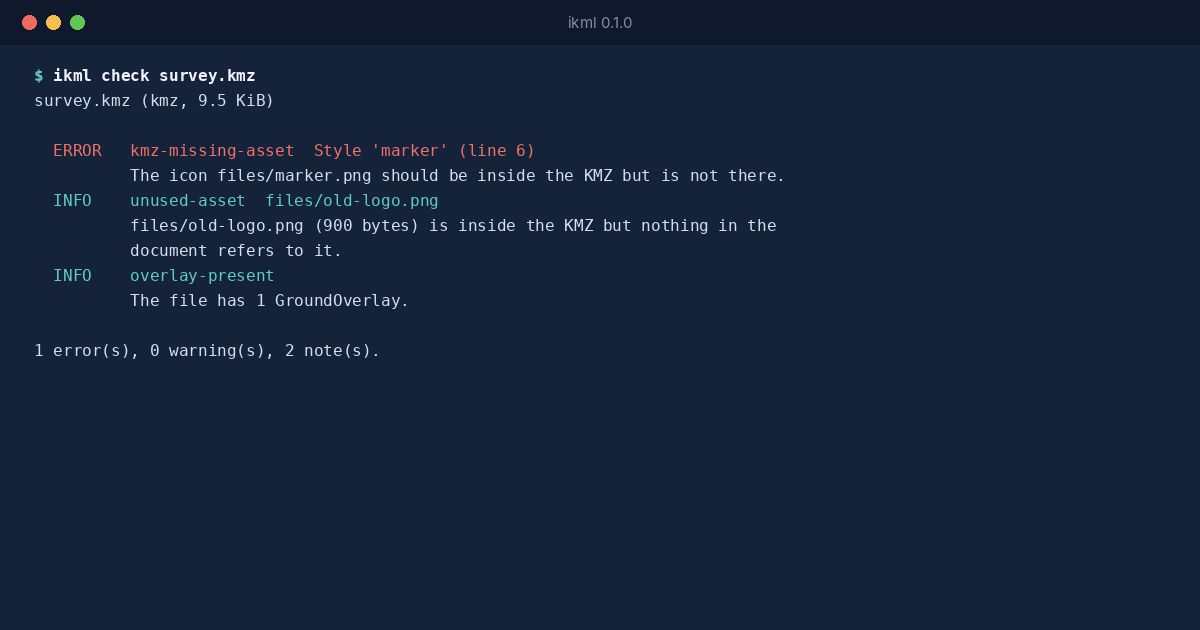
iKML 0.1 tells you first. It opens KML, KMZ and GeoJSON files, shows what’s inside them, flags what’s broken, explains exactly what a conversion to another format will lose, and writes a cleaned copy with a list of every change.
What It Finds
iKML reads the file the way an importer would and reports, with a stable code for each kind of problem:
- Coordinates that can’t be right. Numbers that don’t parse, longitudes past 180 or latitudes past 90, points at exactly 0,0, and whole files where latitude and longitude were written in the wrong order.
- Shapes importers reject. Polygon rings that don’t close, rings too short to have an area, lines with a single point.
- Files that didn’t come along. Icons and photos a KMZ refers to but doesn’t contain, and references to the creator’s own disk, such as
file:///C:/Users/maria/Desktop/pin.png. - Things that depend on the internet. Network links, remote icons, overlays.
- Things an importer will drop. Vendor extensions such as DJI’s drone mission elements, styles that point nowhere, old KML namespaces.
What a Conversion Costs
Converting is easy. Every GIS tool does it. What none of them say is what they left out. ikml convert --report lists each part of the file that a conversion loses, keeps in another form or changes: styles, folders, attribute types, timestamps, GPS track times, overlays, embedded photos. Where iKML can keep something, it does: styles go into simplestyle-spec properties, folder paths into a folder property, track times into coordTimes.
Nothing Uploaded
The same engine is compiled to WebAssembly and runs the inspector on this site. You drop a file, your browser reads it, and the engine works on it in the page’s memory. There’s no server behind it and no map tiles in the preview, so nothing about the file, not even the area it covers, leaves your machine. For site plans, infrastructure surveys and anything under an NDA, that’s the only way an online tool is usable at all.
For batches and pipelines there’s the ikml program, one file for Linux, macOS and Windows, with exit codes a script can act on. It’s on the download page, and the quick start shows every command. The code is open source under the Apache License 2.0.