A DJI Drone Mission KMZ and What a GIS Import Would Drop
Drone mapping and inspection work runs on mission files. DJI’s planning software saves a mission as a KMZ that holds a folder called wpmz, with a template.kml describing the route and a waylines.wpml file the drone’s controller actually flies. The KML uses DJI’s own wpml namespace for everything a drone needs: heights, speeds, gimbal angles, what to do at each waypoint.
A survey company that receives one of these and wants to see the route on its own maps usually opens it in a GIS or converts it to GeoJSON. The waypoints come through. Almost nothing else does, and nothing says so.
What’s Inside
$ ikml inspect mission.kmz
mission.kmz
  Format:       KMZ, 1.3 KiB
  Namespace:    http://www.opengis.net/kml/2.2
  Main file:    wpmz/template.kml
  Placemarks:   4
  Geometry:     4 Point
  Coordinates:  4
  Extent:       lon 8.54021 to 8.54293, lat 47.37742 to 47.37864
  Folders:      2

Structure:
    Document (no name)
      Folder (no name): 4 placemark(s); 4 Point

Files inside the KMZ:
  wpmz/waylines.wpml                    649 bytes  used

Issues:
  INFO    unknown-element  line 4
          16 different elements from the wpml namespace
          (http://www.dji.com/wpmz/1.0.2) appear 37 times in all, first here:
          <wpml:author>, <wpml:createTime>, <wpml:updateTime>,
          <wpml:missionConfig>, and 12 more. They are vendor extensions iKML does
          not interpret. KML output keeps them; GeoJSON output drops them.

0 error(s), 0 warning(s), 1 note(s).
iKML found the KML inside at wpmz/template.kml, not at the usual doc.kml, and read the four waypoints. It recognised the wpml elements as a vendor extension and counted them: 16 different elements, 37 in all. It knows that waylines.wpml is read by the drone by its fixed name, so it doesn’t call it unused, even though nothing in the KML refers to it.
What a Conversion Would Lose
$ ikml convert mission.kmz mission.geojson --report
Converted mission.kmz (kmz) to mission.geojson (geojson, 510 bytes).

What changes from kmz to geojson:

  [KEPT] Folder structure (1)
    GeoJSON is a flat list of features, so 1 folder is flattened. iKML keeps
    each placemark's folder path in a "folder" property (for example "Survey
    / Gates"), and converting back to KML rebuilds the folders.

  [LOST] Files inside the KMZ (1)
    GeoJSON is a single text file. 1 embedded file (649 bytes), such as
    icons and photos, cannot come along, and references to them in
    descriptions break.
      - wpmz/waylines.wpml

  [LOST] Elements iKML does not interpret (37)
    These elements, often vendor extensions, have no GeoJSON form and are
    dropped. KML or KMZ output keeps them.
      - wpml:author (1)
      - wpml:createTime (1)
      - wpml:updateTime (1)
      - wpml:missionConfig (1)
      - wpml:templateType (1)
      - wpml:templateId (1)
      - wpml:waylineCoordinateSysParam (1)
      - wpml:autoFlightSpeed (1)
      - wpml:globalHeight (1)
      - wpml:index (4)
      - and 6 more

Before: 0 error(s), 0 warning(s). After: 0 error(s), 0 warning(s).
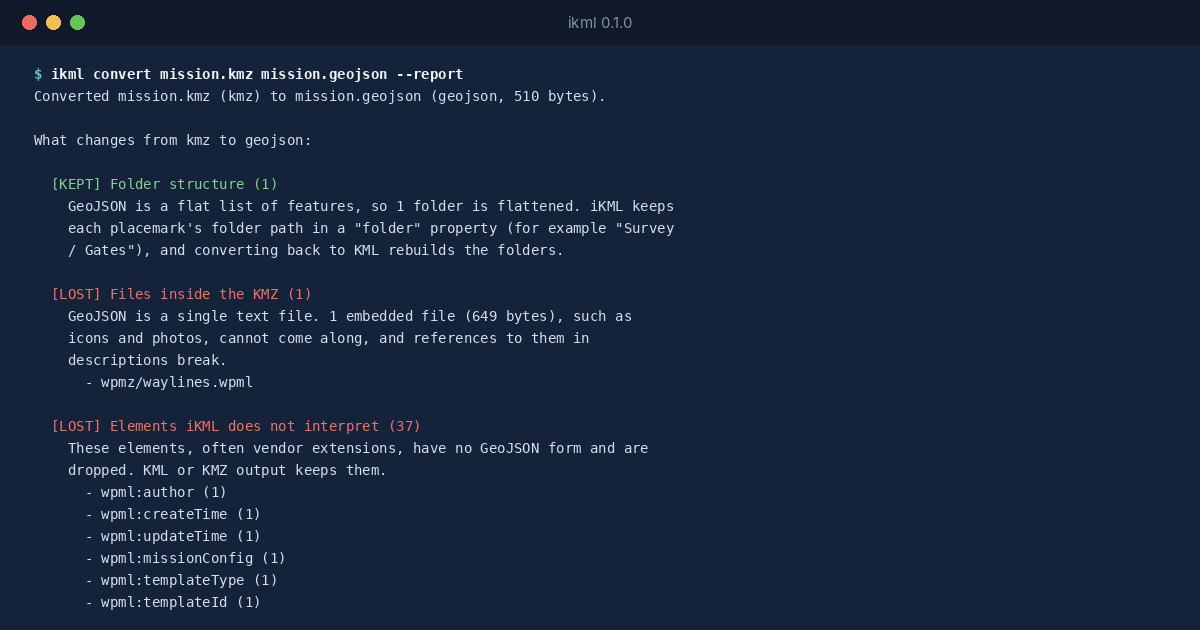
The waypoints survive as GeoJSON points, and the folder path is kept as a property. The flight parameters don’t: the heights, speeds and actions in the wpml elements have no GeoJSON form, and the flyable waylines.wpml can’t travel in a single text file.
The Practical Rule
That’s fine for putting the route on a map. It’s not fine for anything that goes back to the drone. Keep the original KMZ as the mission, and treat a GeoJSON copy as a picture of it. If you need a cleaned KML, convert to .kmz instead, which keeps the vendor elements and the files.