Checking Private Site Plans Without Uploading Them Anywhere
Some geographic files shouldn’t leave the building. A utility’s network map, the plot boundaries of a development that hasn’t been announced, the survey of a client’s site under an NDA, the locations in an investigation. These are exactly the files people need to check before importing them somewhere, and exactly the files that can’t go to an online converter.
Most web-based map tools upload the file to a server to process it, and many fetch map tiles for a preview, which tells a tile server which part of the world you’re looking at. Neither is acceptable for a file you’ve been asked to keep private.
How the Inspector Avoids Both
The inspector on this site is iKML’s engine compiled to WebAssembly. When you drop a file, the browser reads it from your disk and passes the bytes to the engine inside the page. There’s no server to send them to. The preview is drawn from the file’s own coordinates as plain lines and dots, with no base map, so no tile requests go out either. Once the page has loaded you can disconnect from the network and it keeps working, which is also the simplest way to check the claim.
For files that shouldn’t even touch a browser, the ikml program does the same on the command line, on an air-gapped machine if need be.
An ArcGIS Export of Parcels
A planning consultant gets parcel boundaries exported from ArcGIS:
$ ikml inspect parcels.kml
parcels.kml
  Format:       KML, 2.8 KiB
  Namespace:    http://www.opengis.net/kml/2.2
  Placemarks:   2
  Geometry:     2 MultiGeometry, 2 Polygon
  Coordinates:  15
  Extent:       lon -122.4194 to -122.417, lat 37.7749 to 37.776
  Folders:      2
  Styles:       1 Style, 0 StyleMap
  Schemas:      1

Structure:
    Document Parcels
      Folder Parcels: 2 placemark(s); 2 Polygon

Attribute fields:
  PARCEL_ID                2 placemark(s) (SimpleData, string)
  AREA_M2                  2 placemark(s) (SimpleData, double)
  ZONE                     2 placemark(s) (SimpleData, int)

Styles:
  Style    #PolyStyle00          used by 2: line, polygon, label

No problems found.
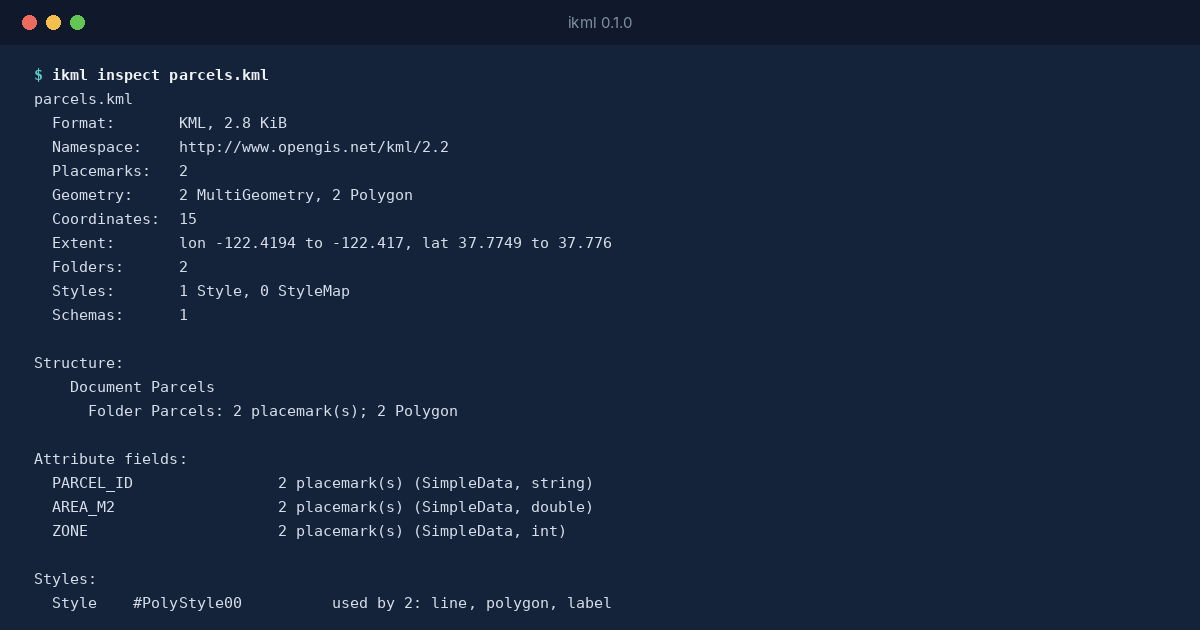
ArcGIS writes attributes as typed SchemaData: AREA_M2 is a double, ZONE an integer. iKML shows the types, and when the file is converted to GeoJSON the loss report says that every value becomes a string, naming the fields that had types. That matters if the GeoJSON goes into a database where ZONE should be a number.
The Same Engine Everywhere
The browser version and the program are built from the same Go code, so the inspector on the site and ikml check in a pipeline give the same answer about the same file. Nothing about the file is stored, logged or counted anywhere, because there’s nowhere for it to go.